- guide
- ai-assistants
Get your daily standup from your AI assistant in one minute
Ask your AI assistant for your standup and get what you finished, what is next and what is blocked, built from your TasKadence sprint and checked against your git history and pull requests.

Chandra Sekhar Pulipati
Applied AI Engineer, Indrasol
· 3 min read
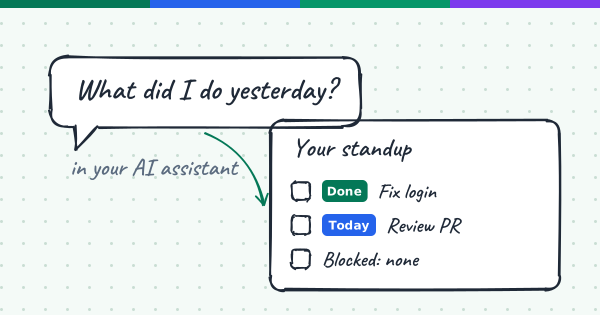
Standup is meant to take two minutes. Getting ready for it often takes ten. You scroll through the sprint board, check your commits, remember which pull request is still open, and try to recall what you did on Tuesday. Then you say it out loud and forget half of it anyway.
TasKadence, connected to your AI assistant, does that part for you. You ask for your standup, and it writes the update from what really happened, not from memory.
What you need
The report works inside a code repository, because it compares your sprint with your git history and pull requests. Open the repository in your AI assistant with TasKadence connected, and pick your project and team once. It only reads your work. It never changes a task, a comment or a sprint.
Ask for your standup
Type a normal sentence. For example:
- "Give me my standup."
- "What did I do yesterday?"
- "Write my daily update."
Your AI assistant finds the active sprint in TasKadence and picks out your tasks. Then it checks your git commits and pull requests against them. If you pushed commits that no task mentions, it points them out, so work does not go missing from the update.
What you get back
The answer has three short lists, each with task titles and IDs:
- Done: tasks you finished since your last working day, or sent for approval.
- Today: tasks you are working on, tasks where changes were requested, and anything due today.
- Blocked or waiting: blocked tasks and what they are waiting on, plus tasks waiting for approval and for how long.
The whole update is under ten lines, ready to paste into your team chat or read out in the meeting.
Beyond the daily update
The same report can do more than standups. Ask it for:
- A weekly status: a ready summary of your week, Monday to Sunday: your two or three main accomplishments, what you are focused on, blockers and next week's priority. You review the draft before it is final, then copy it anywhere or use it in your team's weekly deck.
- A workload view: "Who is overloaded?" gives one table with each person's open, overdue, blocked and waiting tasks. It flags people with no tasks, and people with more than twice the team median.
- A sprint summary: "How is the sprint going?" shows what is done out of the total, what is in review, what needs changes, what has not started and what is blocked.
Because it uses your real sprint, the numbers match what your team sees in TasKadence.
Why checking against git matters
A task board is only as good as the last time someone updated it. Code does not forget. When the report counts a task as finished, it looks for proof, such as an approval reply or the time a pull request was merged. Tasks that are closed in TasKadence but have no matching code change are pointed out, so nothing is wrongly reported as shipped.
That keeps your standup honest, and it keeps the meeting short. You spend your time on the real problems instead of trying to remember what happened.
Try it tomorrow morning
Before your next standup, open your repository in your AI assistant and ask for your update. Read it once, fix anything that looks off, and go to the meeting. It takes about a minute. If it saves you ten minutes a day, that is almost an hour every week, and you did not have to remember anything.